


Card Access Tripod Turnstile: Compatibility Guide for Facilities With Existing Card Systems


A card access tripod turnstile adds physical barrier control to your building's entry point — without requiring you to re-issue the cards your employees already carry. This is the question most IT managers and facilities directors ask first: will our existing HID, MIFARE, or proximity cards still work? In most cases, yes. The gate connects via standard Wiegand 26-bit protocol to your existing access controller — the same protocol your doors and lifts already use.
However, three decisions determine whether the integration is seamless: does the reader module support your card's frequency, does it connect to your existing platform, and does the gate configuration match your facility's entry volume? This guide answers all three — in the order a procurement manager needs them.
Explore Turboo's full range of tripod turnstile hardware before continuing for model context.
How a Card Access Tripod Turnstile Works: From Card Swipe to Gate Open
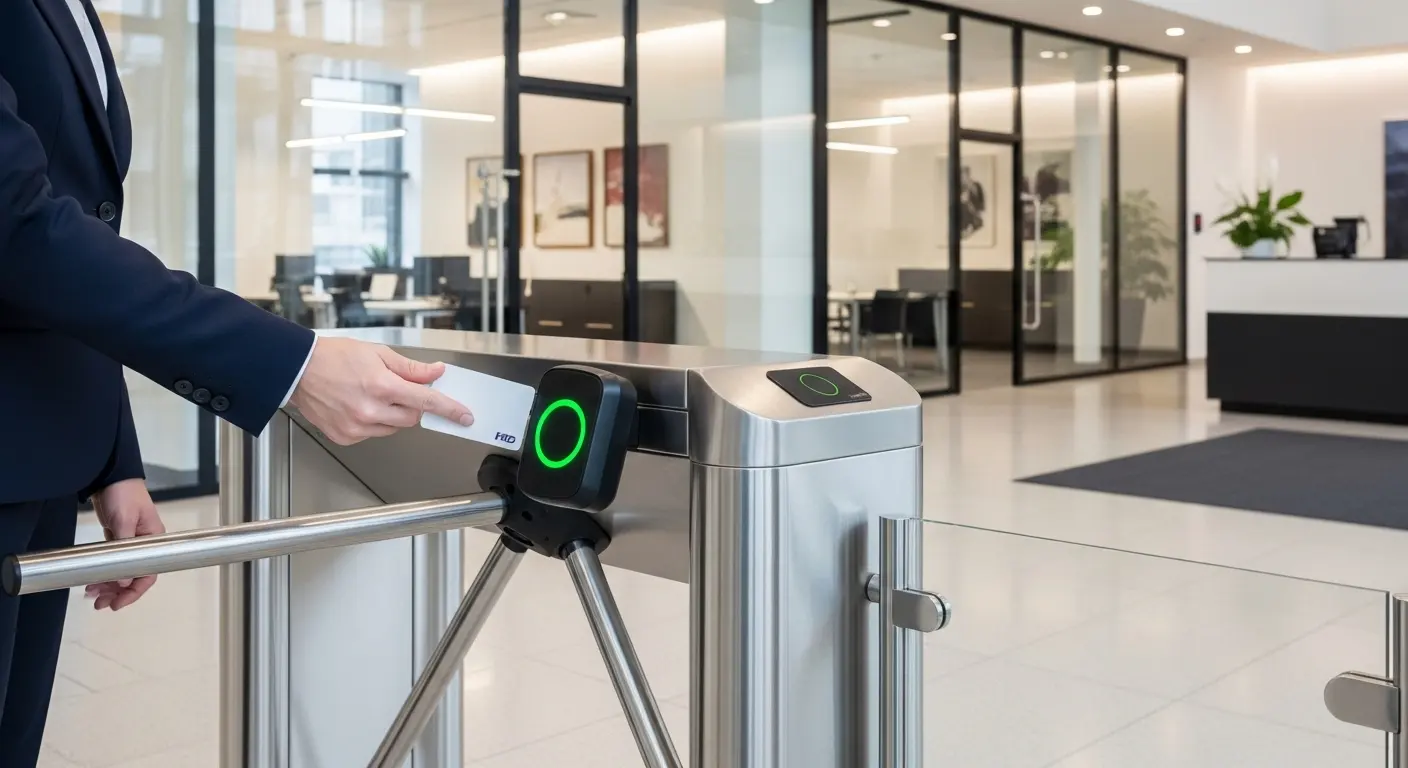
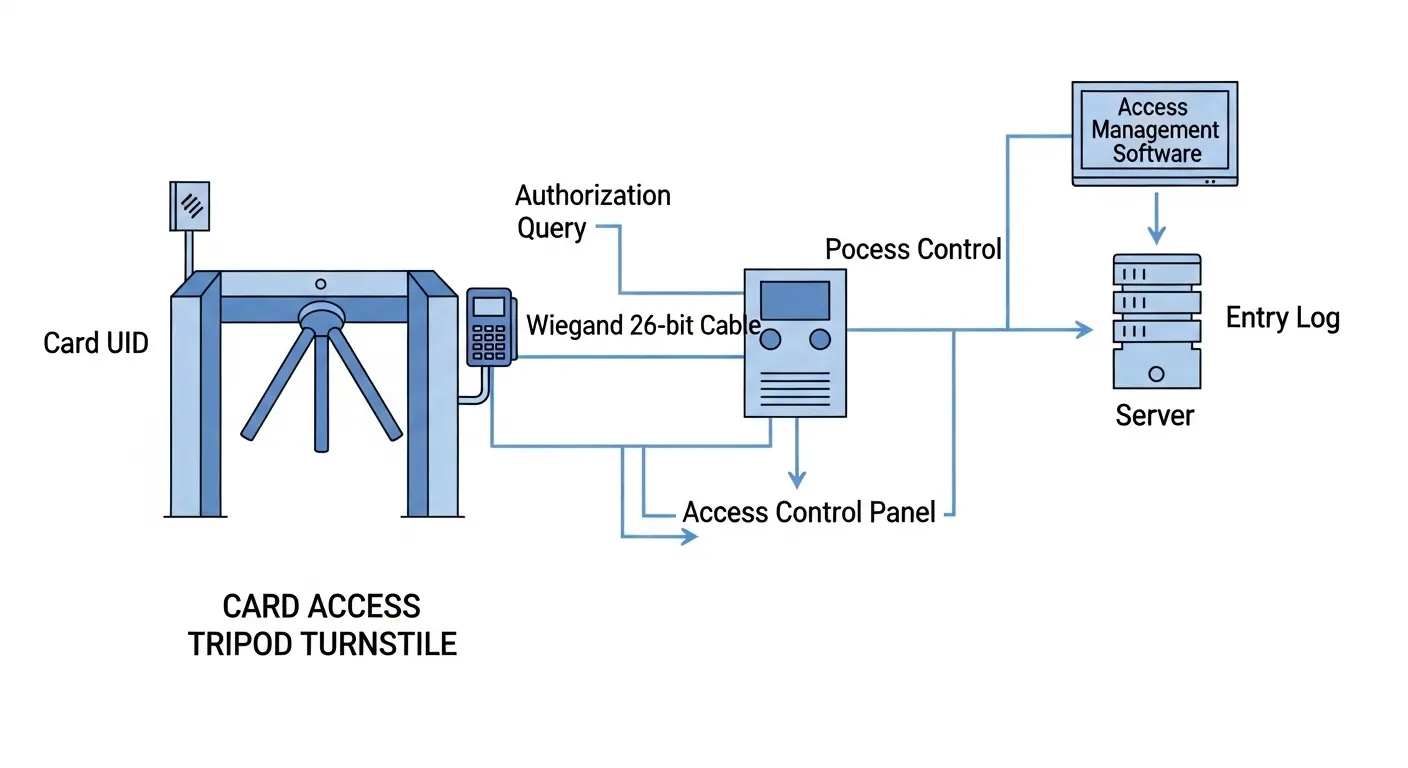
A card access tripod turnstile validates a card credential in under 0.5 seconds by reading its unique ID, querying the access control database, and rotating the arm for one person if the card is authorized.
Steps 1–4: Presentation to Controller Query
The process from card presentation to gate open runs as follows:
- The employee or visitor presents their card — swipe, tap, or proximity hold depending on card type and reader module.
- The reader captures the card's unique UID and transmits it via Wiegand 26-bit or RS485 to the access controller.
- The controller queries the access control database — checking authorization, time-zone schedule, and card status (active or revoked).
- An authorized result sends an unlock signal. The arm rotates. One person passes through.
Steps 5–6: Rejection and Logging
- An unauthorized result — revoked card, wrong time zone, or unregistered card — keeps the arm locked. An alert activates. Staff at a reception desk or security monitor can respond.
- Every entry is logged with a timestamp, card ID, and zone assignment. This data feeds attendance dashboards, HR platforms, and security audit reports automatically.
The three-arm mechanism resets to locked position immediately after each valid cycle. Therefore, no second person can follow through on the same card presentation — regardless of how quickly they move behind the first entrant.
In our experience integrating card access tripod turnstiles with existing corporate HID Prox systems, the most common question before installation is whether the existing 26-bit Wiegand card data format is supported. It always is. No card re-issue is needed in standard configurations.
Card Types Supported: 125kHz, MIFARE, HID, and Mobile NFC
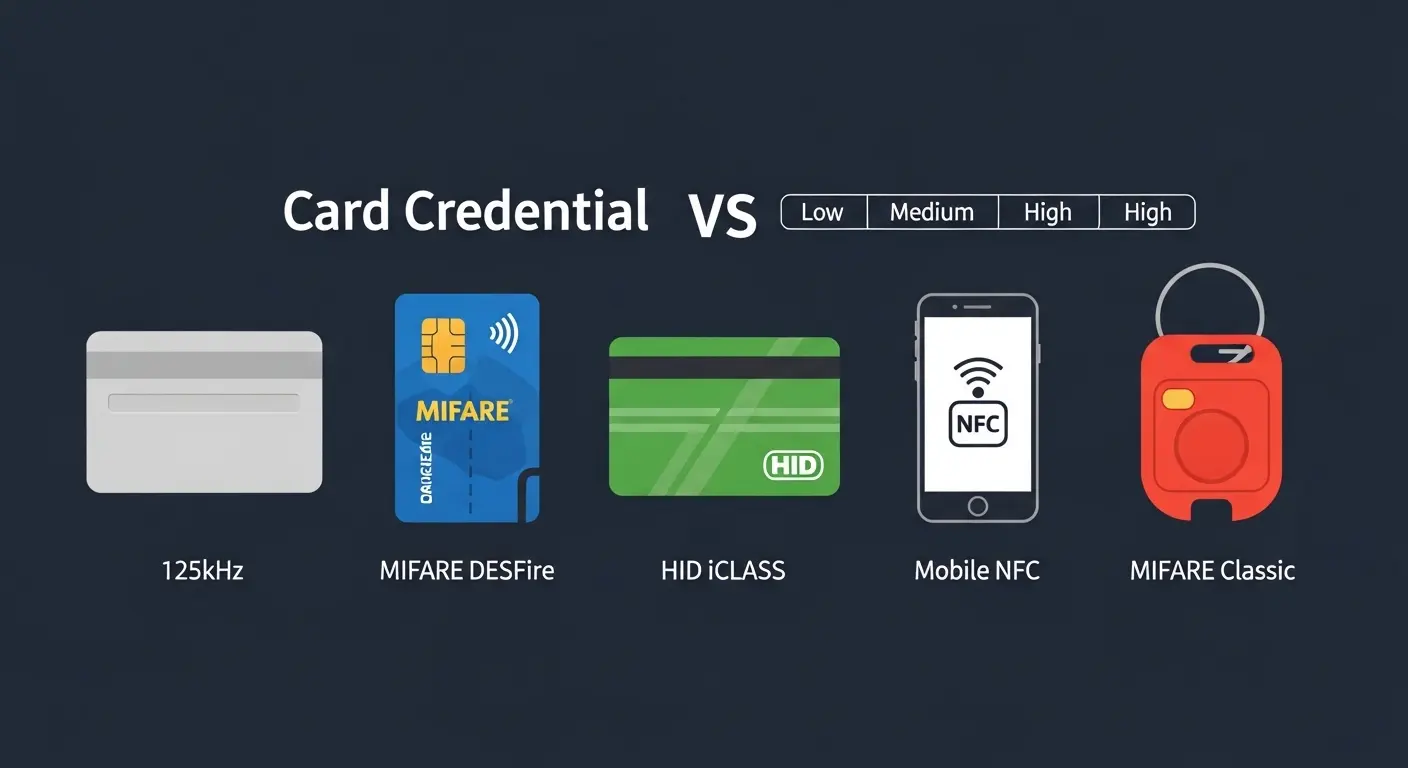
A card access tripod turnstile can support 125kHz proximity cards, 13.56MHz MIFARE/DESFire, HID Prox/iCLASS, and mobile NFC — but only if the reader module installed on the gate is specified for that card frequency and protocol.
Card Protocol Comparison
| Card Type | Frequency | Security Level | Read Range | Best For |
|---|---|---|---|---|
| 125kHz Proximity | 125kHz | Low — no encryption | 8–12cm | Legacy systems, low-security sites |
| MIFARE Classic | 13.56MHz | Medium — compromised 2008 | 5–10cm | Existing office and campus deployments |
| MIFARE DESFire | 13.56MHz | High — AES encryption | 5–10cm | Corporate, government, high-security |
| HID Prox / iCLASS | Multi-freq | Medium to High | 8–15cm | North American corporate standard |
| Mobile NFC | 13.56MHz | High — encrypted token | 1–5cm | Modern facilities, BYOD environments |
Key Differences to Know Before Specifying
125kHz proximity is the most widely deployed card type globally. However, it carries no encryption — these cards can be cloned with off-the-shelf hardware. They are acceptable for low-security internal access areas but not for any entry point where credential fraud is a realistic risk.
MIFARE Classic encryption was academically compromised in 2008 (Radboud University, Nijmegen). MIFARE DESFire EV2/EV3 is the current recommended upgrade. However, many corporate and campus systems still run MIFARE Classic. A reader module that supports MIFARE Classic covers these deployments today while allowing an upgrade path.
HID is the dominant standard in North American corporate environments. HID Prox operates at 125kHz; HID iCLASS operates at 13.56MHz. Critically, HID iCLASS uses a proprietary layer above 13.56MHz — it requires HID-certified reader hardware, not a generic 13.56MHz module.
Mobile NFC credentials are growing rapidly. Per the HID Global State of Physical Access Report, mobile NFC adoption is growing at 40% year-over-year. A reader module supporting ISO/IEC 14443 NFC communication handles smartphone wallet credentials alongside physical cards.
For facilities that need contactless access without re-issuing cards, see Turboo's contactless turnstile access options for reader module configurations.
Backward Compatibility: Can You Keep Your Existing Cards?
In most cases, yes — existing proximity, MIFARE, or HID cards from your current door access system will work at a card access tripod turnstile without re-issue, provided the gate's reader module supports your card protocol and outputs standard 26-bit Wiegand data.
How Backward Compatibility Works Technically
The Wiegand 26-bit protocol is the universal data handshake between card reader and access controller. It is supported by 95%+ of access control platforms — including Lenel OnGuard, Honeywell Pro-Watch, Genetec Security Center, Bosch ACE, and generic controllers.
The card reader module reads the card's UID and transmits the Wiegand data string to the controller. This is the same controller that already manages your building's doors. Therefore, adding a card access tripod turnstile is operationally straightforward: install the gate, wire the reader to the existing controller via Wiegand, add the gate as a new door in the access management software, and assign existing card profiles. No new cards. No new credentials. No re-enrollment.
When Backward Compatibility Fails, And the Fix
Failure scenario 1: The gate reader is specified for 13.56MHz only, but the site runs 125kHz proximity cards. Fix: specify a multi-technology reader covering both 125kHz and 13.56MHz — one reader module covers all legacy and modern cards simultaneously.
Failure scenario 2: The existing controller uses a proprietary protocol other than Wiegand. Fix: use the gate controller's RS485 or TCP/IP output to connect via a protocol converter. Most Turboo controllers support both output types.
Failure scenario 3: The site runs HID iCLASS but the reader ordered is a generic 13.56MHz module. Fix: specify a HID-certified reader module. HID iCLASS requires certified hardware — not all 13.56MHz readers are compatible.
In our experience, specifying reader module compatibility before ordering prevents 90% of post-installation integration problems. It is worth one confirmation call to the supplier with your card type listed explicitly.
Integration: Connecting a Card Access Tripod Turnstile to Your Existing Platform
A card access tripod turnstile connects to your existing access control platform through Wiegand 26-bit, RS485, or TCP/IP — the same protocols used by every other reader in your building.
Connection Protocol Options
| Protocol | Best For | Range |
|---|---|---|
| Wiegand 26-bit | Single gate, existing controller | Up to 150m |
| RS485 | Multi-gate on one controller | Up to 1,200m |
| TCP/IP | Large sites, cloud management | Unlimited (network-dependent) |
Wiegand is the simplest connection. The reader wires directly to the existing access controller. The gate appears as a new door in the access management software immediately.
RS485 suits multi-gate deployments on a single controller — typically 4–16 gates per controller in a large office or campus entry configuration. TCP/IP is recommended for multi-site deployments or cloud-managed platforms where remote gate management and real-time monitoring are required.
What Happens in the Software
Once connected, the gate inherits all existing card profiles, time-zone schedules, and access group assignments from the platform. No duplicate data entry is required. A card authorized for the third-floor server room and the front lobby in your existing system will carry those exact permissions at the tripod turnstile automatically.
For full installation wiring guidance, see Turboo's how to install a turnstile guide covering Wiegand and RS485 connection steps. The Security Industry Association also publishes access control integration best practices for Wiegand and IP-based systems.
Time-Zone Scheduling and Visitor Card Management
Two features determine how well a card access tripod turnstile handles day-to-day operations beyond basic entry control.
Time-Zone Access Scheduling
Time-zone scheduling restricts specific card credentials to authorized entry hours. The restriction is enforced automatically at the gate — no staff action is required.
Examples of common time-zone configurations: cleaners' cards valid 06:00–08:00 only; contractors' cards valid on specific project dates only; after-hours access attempts trigger an alert to the security desk automatically. Configuration happens entirely in the access control software — not on the gate hardware. Therefore, existing time-zone rules from your current system apply to the tripod turnstile the moment it is connected.
When we configured time-zone scheduling for a university campus deployment, applying teaching staff card restrictions across all gate lanes took less than 20 minutes in the platform's group access settings.
Visitor Card Management
Visitor cards on a card access tripod turnstile should be temporary, limited-use, and instantly revocable. The recommended workflow is:
- Issue at reception: a pre-programmed proximity or MIFARE card is issued at visitor sign-in, valid for the day or a defined time window
- Auto-expiry: the card deactivates automatically at the configured end time — no staff follow-up needed
- Instant revocation: if a visitor leaves early, the card is deactivated in the access management platform in under 10 seconds
In our experience, visitor card workflows at card access tripod turnstiles reduce reception workload by approximately 60% compared to manual visitor logbook and escort-based systems. Additionally, the audit trail of every visitor entry and exit time is captured automatically for security and compliance reporting.
Card Access vs. Mobile NFC vs. Biometric: The Upgrade Path
The card access tripod turnstile is the starting point of a credential strategy — not necessarily its final state. Most Turboo tripod turnstile models support multi-modal reader modules: card today, mobile NFC added when employees adopt smartphone credentials, biometric reader added for high-security zones — all on the same gate hardware.
Upgrade Path Comparison
| Credential | Cost | Security | Issuance | Upgrade From Card |
|---|---|---|---|---|
| Card (RFID/MIFARE) | Low | Medium | Physical | — Baseline |
| Mobile NFC | Low | High | App-based | Swap reader module |
| Fingerprint | Low–Medium | High | Enrollment session | Add reader module |
| Facial Recognition | Medium | Very High | Enrollment session | Add camera reader |
The recommended upgrade sequence for most facilities: start with a multi-technology card reader covering 125kHz and 13.56MHz to support all existing cards. Add mobile NFC support as employees adopt smartphone wallet credentials. Reserve biometric upgrades for high-security restricted zones where the additional cost is justified by the security requirement.
For RFID-specific tripod turnstile configurations and deployment case studies, see Turboo's RFID tripod turnstile guide. For bridge-style configurations suited to corporate lobby aesthetics, see Turboo's bridge tripod turnstile product page.
The ISO/IEC 14443 standard governs proximity card communication at 13.56MHz — relevant when specifying MIFARE DESFire, HID iCLASS, or mobile NFC reader modules.
Frequently Asked Questions
Q1: How does a card access tripod turnstile work?
A card access tripod turnstile works by reading a card's unique UID at the gate reader — via swipe, tap, or proximity — and transmitting it to the access controller via Wiegand 26-bit or RS485. The controller queries the access database and sends an unlock signal if the card is authorized. The arm rotates, admits one person, and resets to locked within the same cycle. The entire process takes under 0.5 seconds. Every entry is logged automatically with a timestamp and card ID.
Q2: What card types does a tripod turnstile support — 125kHz, MIFARE, HID, NFC?
A card access tripod turnstile supports whichever card types the installed reader module is rated for. Common modules cover 125kHz proximity cards, 13.56MHz MIFARE Classic and DESFire, HID Prox and iCLASS, and mobile NFC. Multi-technology reader modules support both 125kHz and 13.56MHz simultaneously — the best choice for sites mid-migration between legacy and modern cards. HID iCLASS requires a HID-certified reader module specifically — a generic 13.56MHz reader is not compatible.
Q3: Can a card access tripod turnstile work with my existing HID or MIFARE cards without re-issuing?
Yes — in most cases, existing HID Prox, HID iCLASS, MIFARE, or 125kHz proximity cards work at a card access tripod turnstile without re-issue. The gate reader transmits the card's UID via standard Wiegand 26-bit protocol to the existing access controller. Because Wiegand is the universal standard supported by 95%+ of access control platforms, the existing card profiles and access group assignments carry over to the tripod turnstile automatically. The only exception is if the reader module ordered does not support your specific card frequency or protocol — always confirm this with the supplier before ordering.
Q4: How does a card access tripod turnstile integrate with existing access control software?
A card access tripod turnstile connects to existing access control platforms — Lenel, Honeywell, Genetec, Bosch, or generic Wiegand systems — through Wiegand 26-bit, RS485, or TCP/IP. The gate appears as a new door in the access management software. All existing card profiles, time-zone schedules, and access group assignments apply to the tripod turnstile automatically. No duplicate setup or re-enrollment is required. Real-time entry logs feed back to the platform from the moment the connection is active.
Q5: How quickly can I revoke a lost card at a card access tripod turnstile?
A lost or stolen card can be deactivated at a card access tripod turnstile in under 10 seconds — simply mark the card as revoked in the access management platform. The deactivation propagates to all connected gate readers in real time via TCP/IP or RS485. For Wiegand-connected single-gate deployments, the revocation takes effect at the next controller sync cycle — typically within 30 seconds. No physical action at the gate is required. This is one of the key operational advantages of card access over physical key systems, where lock replacement would be required.
Conclusion
Three decisions determine a successful card access tripod turnstile deployment. First, confirm reader module compatibility with your exact card type before ordering — 125kHz, MIFARE, HID, or multi-technology — because this single choice prevents 90% of post-installation integration problems. Second, connect through Wiegand 26-bit to your existing access controller and let your existing card profiles, time-zone schedules, and access groups carry over automatically — no duplicate setup required. Third, specify a multi-technology reader from the start to create an upgrade path to mobile NFC and biometric credentials without replacing the gate hardware later.
A correctly specified card access tripod turnstile adds physical barrier control to your facility's entry point without disrupting the card infrastructure your employees already use — and without a single re-issued card.
Contact Turboo's access control team with your current card type and platform name for a compatibility confirmation and product recommendation before issuing an RFQ.